HelpDesk
brief introduction
The Odoo Service Desk module is a ticket based customer support application. Multiple teams can be configured and managed in one dashboard, with each team having their own pipeline for customers to submit work orders. The pipeline is organized in customizable stages, allowing the team to quickly and efficiently track, prioritize, and resolve customer issues.
Overview of functional modules
The main functions of the Odoo 17 service desk module include:
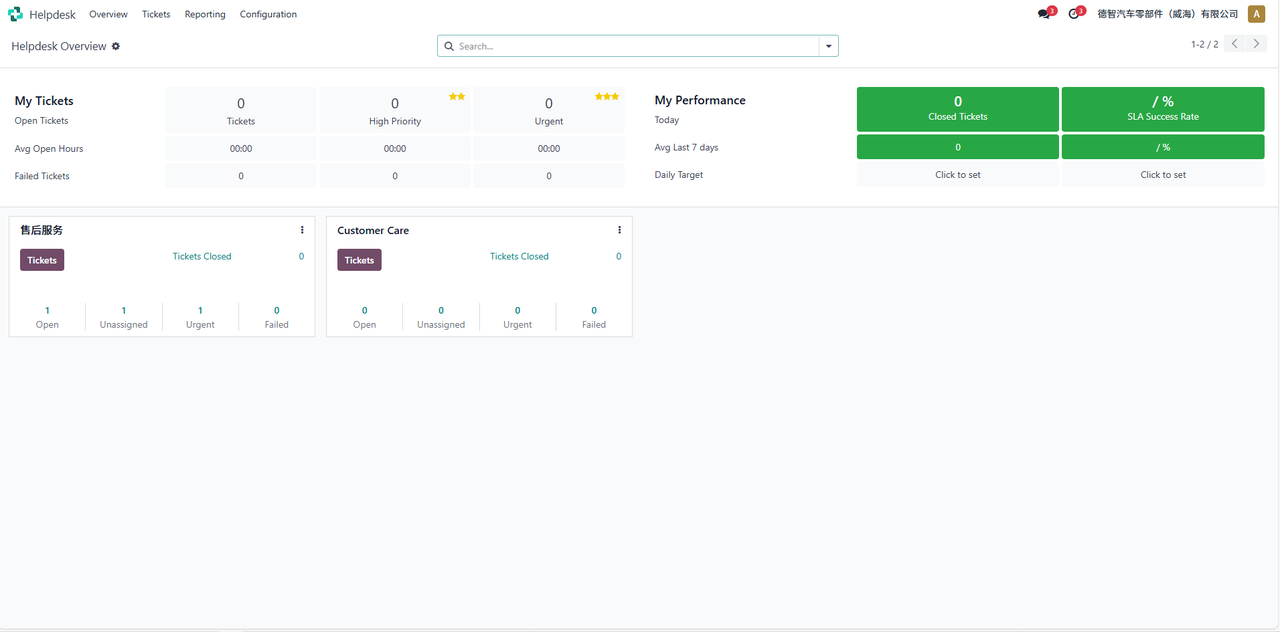
Overview: An overview of the processing status of my work orders, performance teams, and help center teams.
Work Order: Overview and creation of my work order and all work orders.
Report: Work Order Analysis and SLA Status Analysis.
Configuration: Creation of Help Center teams, SLA policies, and types.
Detailed functional description
summary
On the Service Desk module > Overview page, display the processing status of my work orders, performance teams, and help center teams:
Work Order
My work order
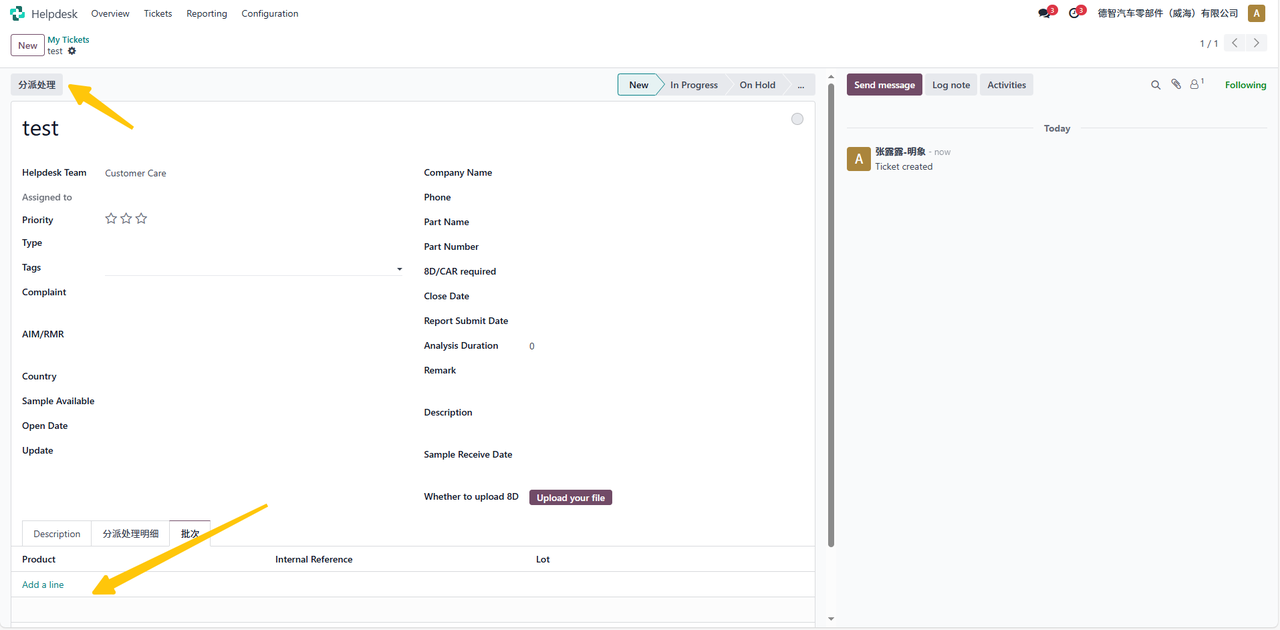
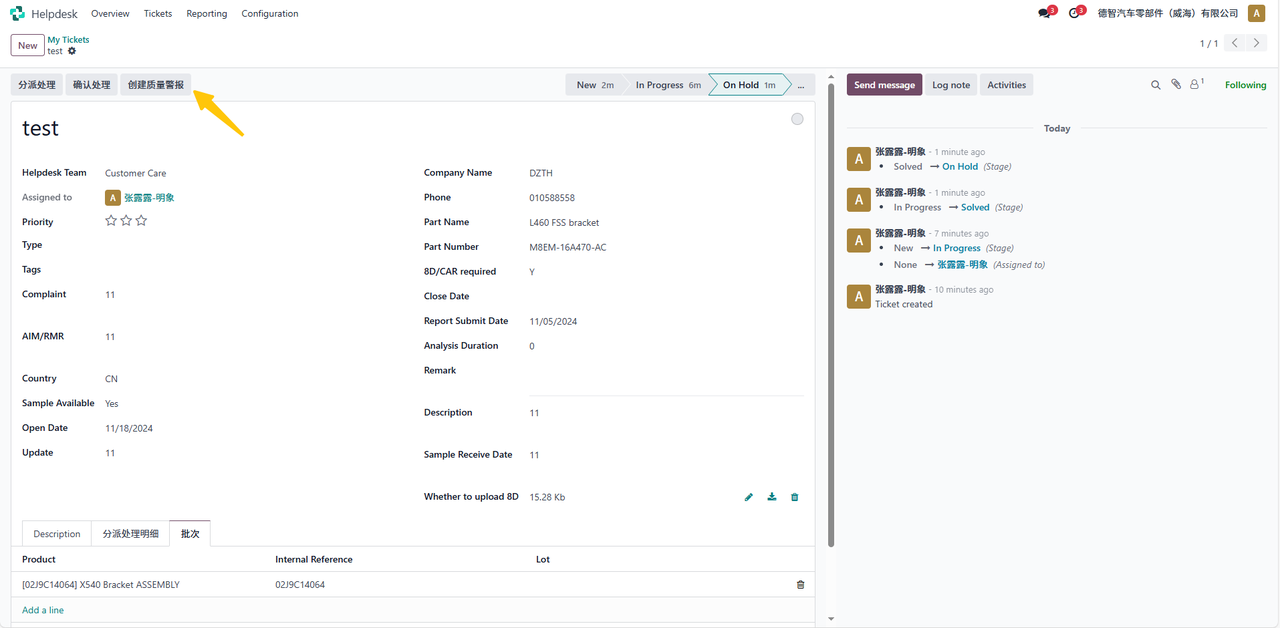
On the Service Desk module > Work Order > My Work Order > New page, fill in the relevant information and batch, and save it. The “Assign Processing” button will pop up. After clicking this button, select the assigned personnel to handle and fill in the processing suggestion in the pop-up window. The processing confirmation date will be automatically brought out:
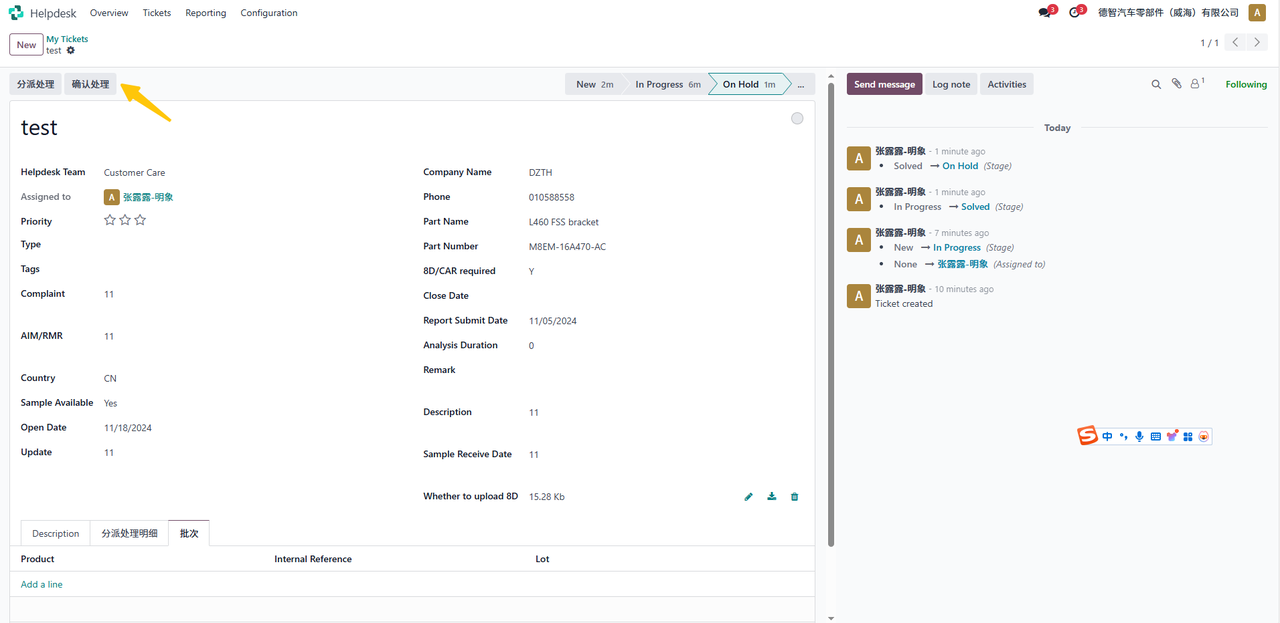
Confirmed and processed by the assigned person:
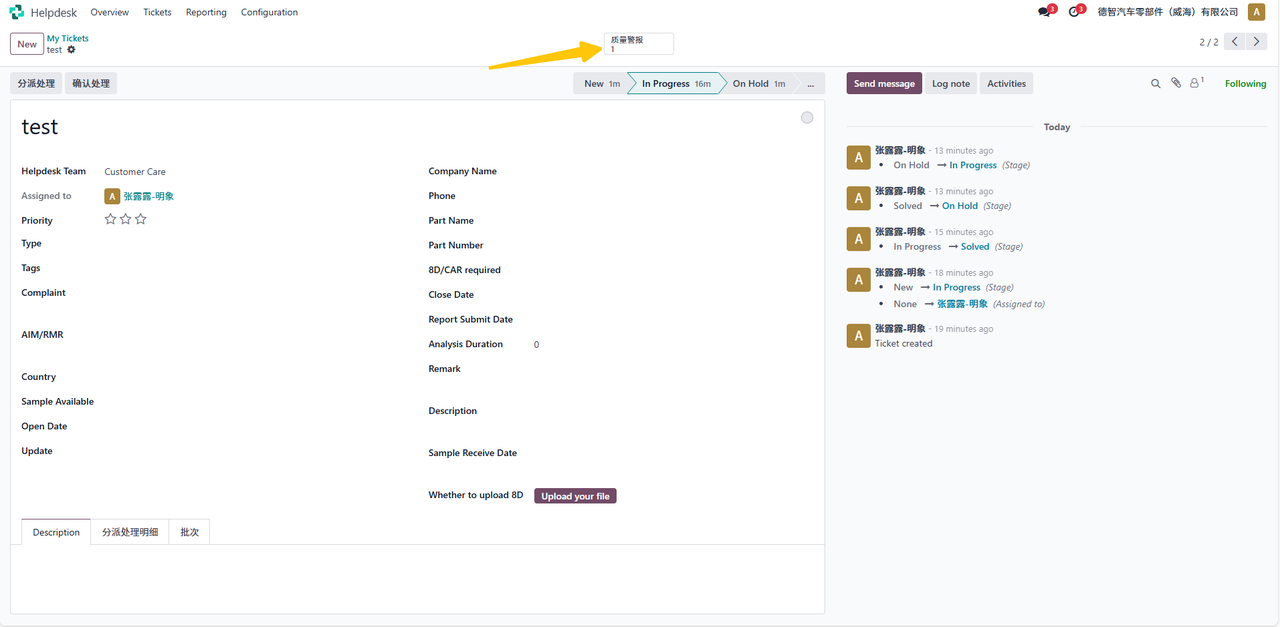
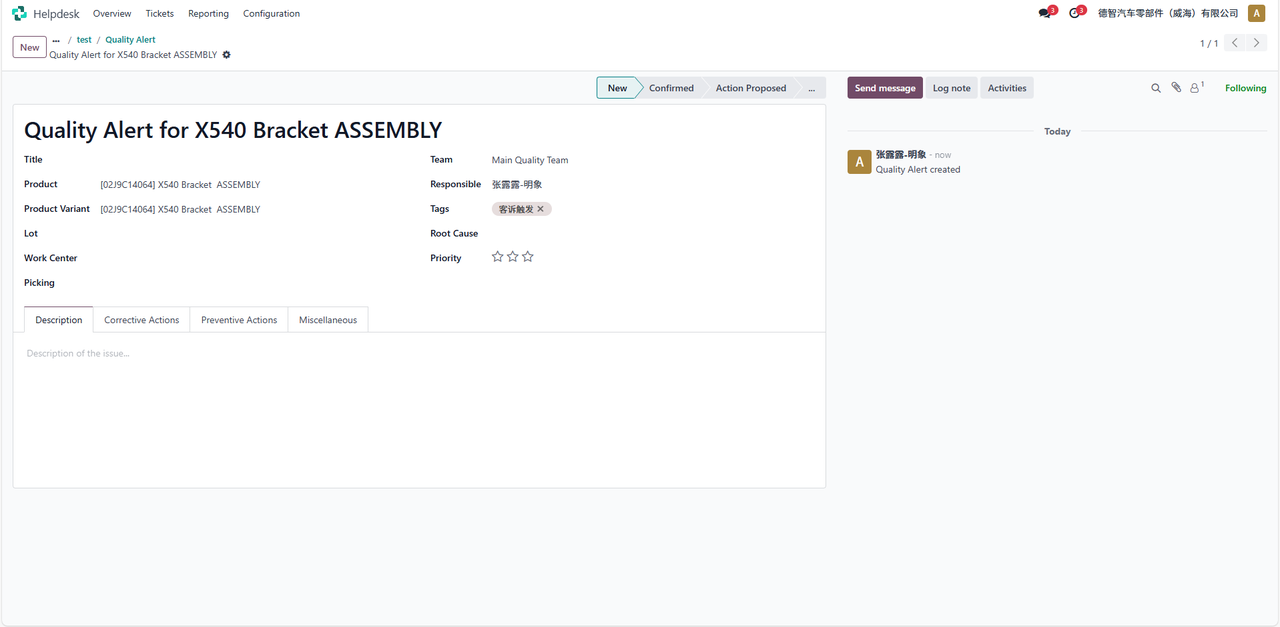
When there is information in the product batch column and it is saved, a “Create Quality Alert” button is generated. Click on it to generate a “Quality Alert” button at the top. Click to jump to the quality module, generate a quality alert document, and write the relevant information in the work order. Attention: The same work order will not be triggered repeatedly. If the product batch number is multiple, a multiple quality alert will be generated for the corresponding batch number
All work orders
On the Service Desk module > Work Orders > All Work Orders page, view all work orders, and the rest of the functions are the same as My Work Orders.
report
Work order analysis
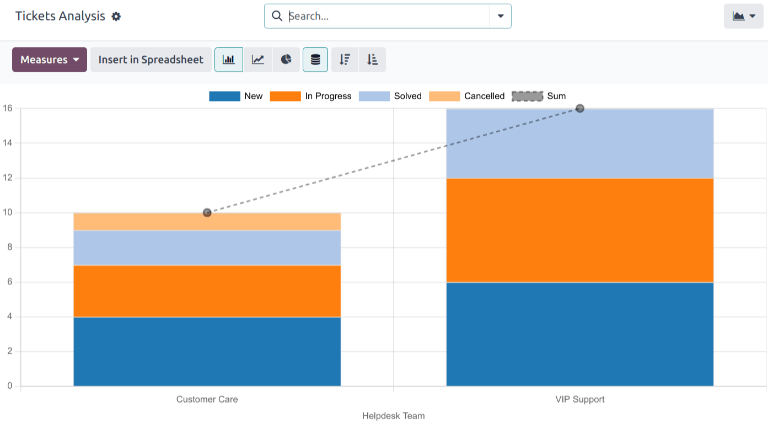
On the Service Desk module > Reports > Work Order Analysis page, the Work Order Analysis report provides an overview of each customer support work order in the database. This report can be used to identify where the team spends the most time and help determine if there is uneven workload distribution among support personnel. The default report calculates the number of work orders for each team and groups them by stage.
Optional metrics to track the locations in the workflow where different points spend the most time. To change the metrics used in the currently displayed report or add more metrics, click the metrics button and select one or more options from the drop-down menu.
SLA status analysis
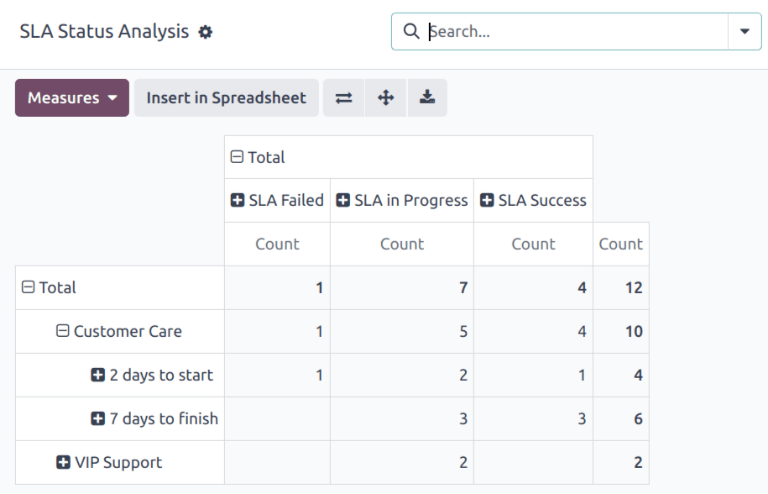
On the Service Desk module > Reports > SLA Status Analysis page, the SLA Status Analysis report analyzes the performance of a single SLA (Service Level Agreement). By default, the report is filtered to display the number of failed SLAs, ongoing SLAs, and successful SLAs. The results are grouped by changing the metrics currently displayed for reporting, or to add more, click the metrics button and select one or more options from the drop-down menu.
to configure
Help Center Team
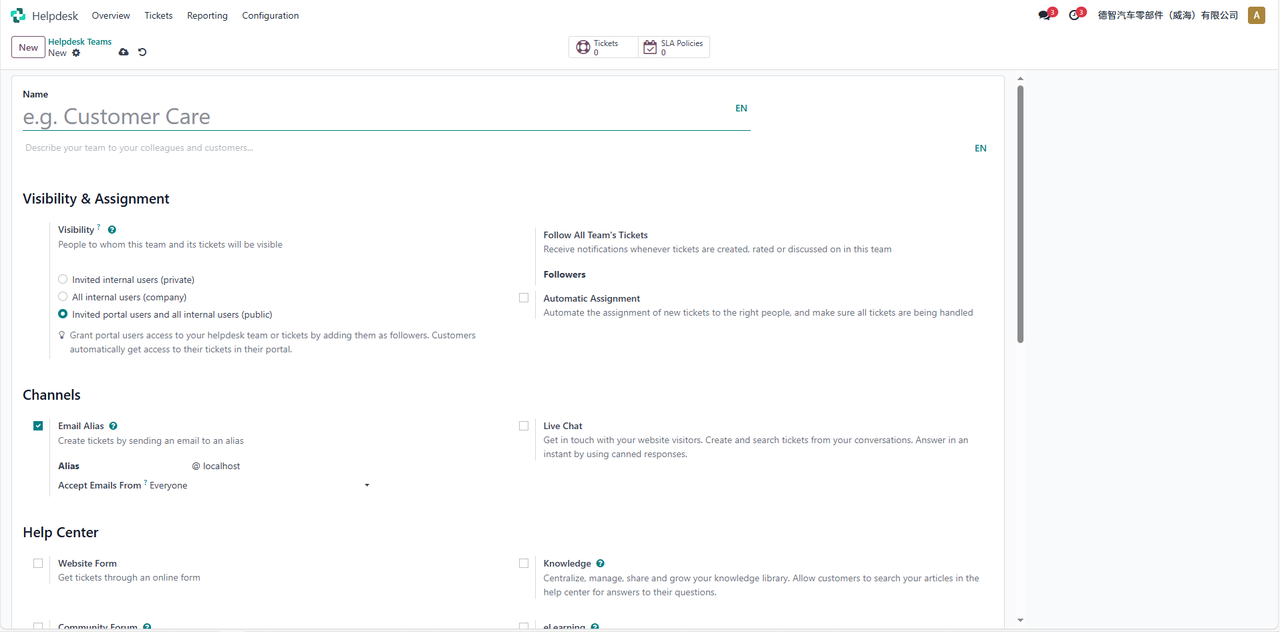
On the Service Desk module > Configuration > Help Center Team > New page, configure the Help Center team information:
SLA strategy
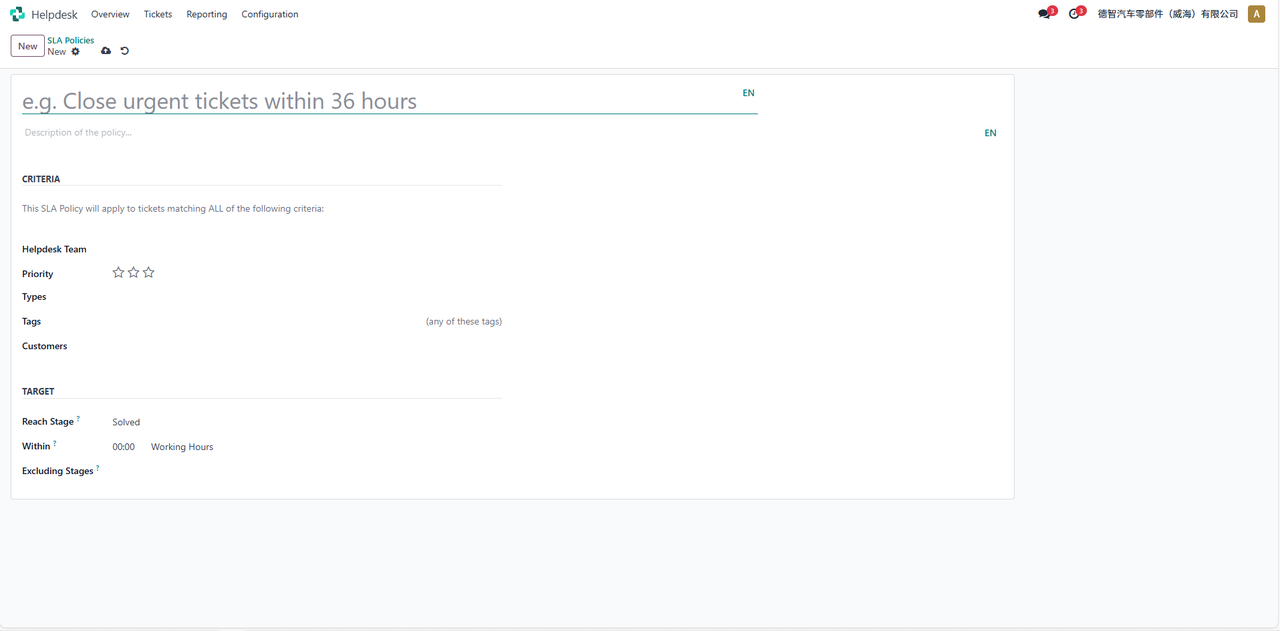
On the Service Desk module > Configuration > SLA Policy > New page, configure SLA policy information:
type
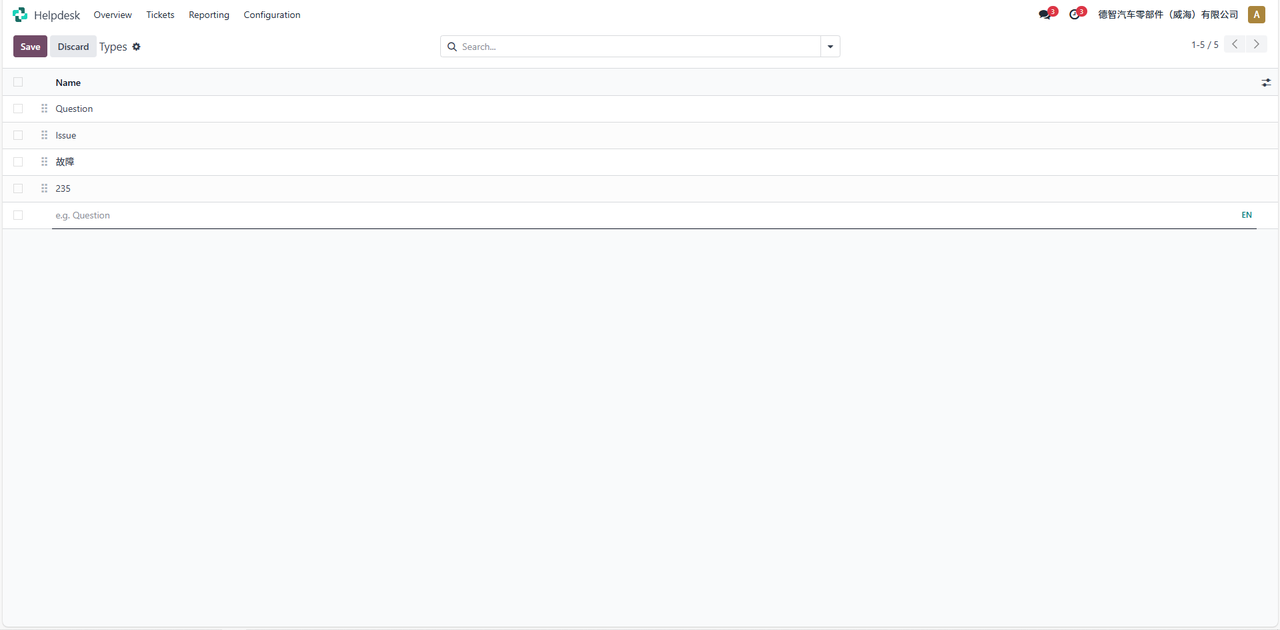
On the Service Desk Module > Configuration > Type > New page, configure the type information: