
Wire transfers
通过**电汇**付款方式,您可以向客户提供付款说明,如银行详情和通讯方式。它们会显示:
在结账流程结束时,客户选择 电汇 作为付款方式并点击 立即付款 按钮:
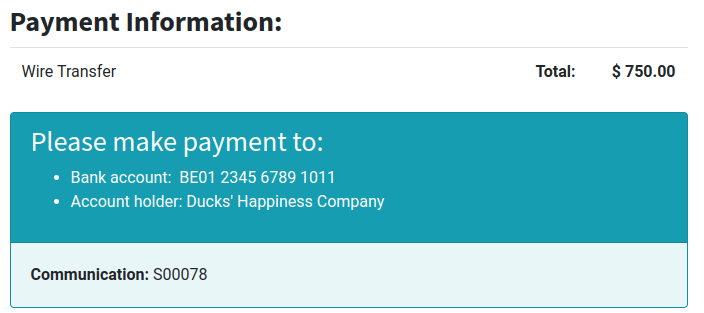
on the customer portal:
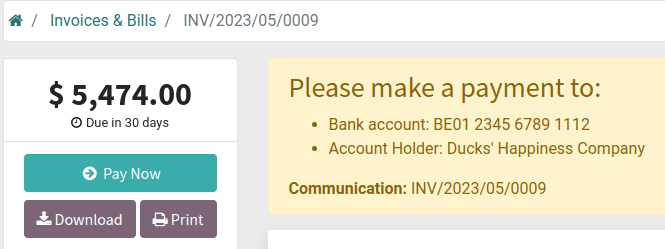
注解
虽然这种方法非常容易使用,而且只需最少的设置,但其流程效率非常低。我们建议使用 支付提供商 来代替。
Online orders remain in the Quotation sent (i.e., unpaid order) stage until you receive the payment and Confirm the order.
小技巧
Wire transfer can be used as a template for other payment methods that are processed manually, such as checks, by renaming or duplicating it.
配置
To configure Wire Transfer, go to , and open the Wire Transfer card. Then, in the Configuration tab:
Select the Communication to be used;
Based on Document Reference: sales order or invoice number
Based on Customer ID: customer identifier
Tick the Enable QR codes check box to activate QR code payments.
Define the payment instructions in the Messages tab:
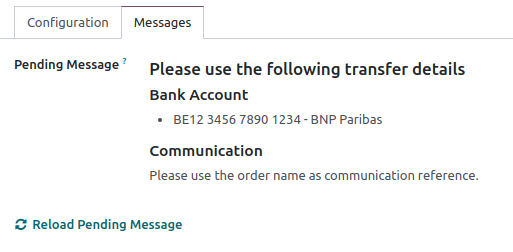
如果您已定义 银行帐户,帐号将自动添加到 Odoo 生成的默认信息中。您也可以事后添加,并通过点击 重新加载待处理信息 更新信息。
参见